
 We are grateful to Clip Studio Paint for sponsoring our event again this year with a generous donation of a 12-month license of Clip Studio Paint EX! See below for information on how to enter to win.
Last year’s winner (and creator of this article’s banner art), Shirley V. Ting, shared an in-depth review of Clip Studio Paint EX:
During a summer (2021) graphic novel workshop, our instructor, Larissa Brown, formerly Marantz, (Blake Laser) demonstrated Clip Studio Paint – the standard for graphic novels. She showed us the ‘magical box’ which auto-masks anything under it, subview for character design references with color swatches, and the value of vectors, particularly when erased.
I used the Clip Studio Paint (Pro version1) three-month trial in this workshop and finished six (6) paneled pages. Adapting to digital drawing went smoothly since I was immediately comfortable with the interface having similar layouts of a ‘drafting space’ with all the tools ‘laid around’ like Photoshop and AutoCad.
My usage was still sporadic since a graphic novel is a big project. To get better with the program, I tried the different tools during book illustrations workshops. My early usage of the built-in brushes and the 3D models for character poses were enough to tide me over for illustration workshops.

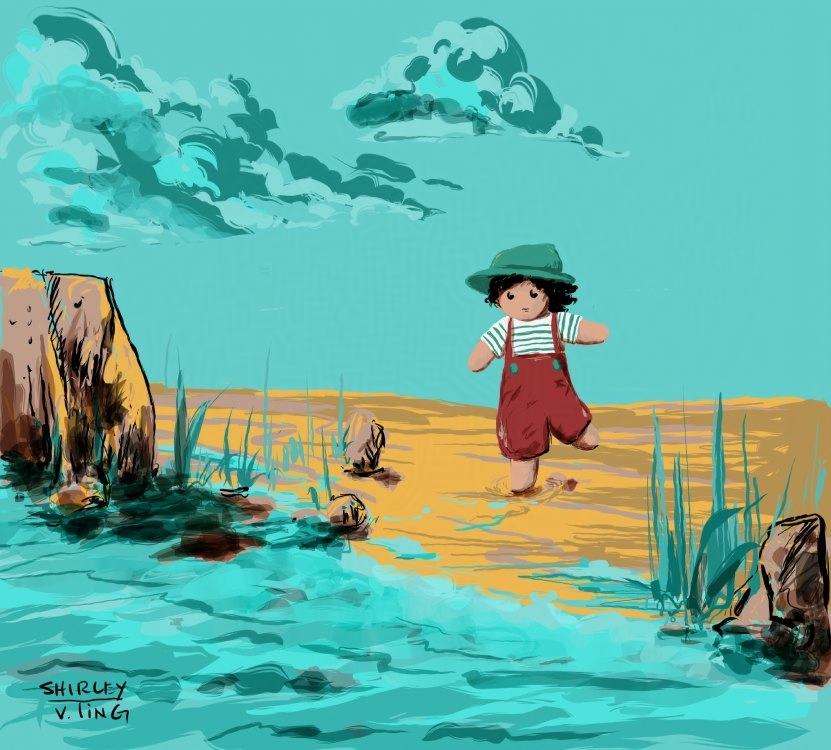
Art by Shirley V. Ting
By 2022, my 6-page workshop project became a full graphic novel project. My upgrade to Ex version1 occurred when Chad Sell (Cardboard Kingdom) demonstrated the ‘story’ setting – for page management, moving things around, and previewing all the pages in a filmstrip grid layout. His pen icons were also color coded, which blew my mind – I CAN color code my favorite pens?!!! Because of this magic, I attended Jonathan Hill’s (Tales of a Seventh Grade Lizard) no frills workshop (2022) which he offers in some summers to raise funds for Literary Arts. Jonathan gave tips, advice, and shared that Clip Studio Paint doesn’t take up a lot of computer RAM. He was correct. I had drawn up to 80 pages of a graphic novel with a surface pro that’s lower on storage space and Clip Studio Paint still ran smoothly. I only split up the pages due to typical artist fear of crashing the computer because of low memory and storage ‘abuse’.
Prior to using Clip Studio Paint, I tested illustrations on Krita, Autodesk Sketchbook, and Manga Studio. Clip Studio Paint has become my primary digital medium for graphic novels and picture book illustrations and dummies, especially with the help of special brush packs. I’ve been able to export in pdf format with the text included and adjust dpi output for jpeg, tiff formats.
Clip Studio Paint already came with a number of standard brushes/pens, patterns, and speech bubbles. But text wrapping made me upgrade from Ex version 1 to version 2. The color mixing tool, plus the ability to create your own color palette sets for various projects were welcome discoveries for picture book illustrations. The 3D models can be adjusted to customized body types – child, adult, chibi style or superhero and not just poses (some of which can be downloaded).
I was delighted to receive the 12-month subscription of Clip Studio Paint Ex last year. By then I’ve been developing two graphic novel projects and wanted to be able to switch from desktop to iPad. I primarily use an iPad for sketching, layout studies, and composition work since I don’t like the glass surface that has less ‘give’ than a drawing tablet. Clip Studio Paint has an intuitive interface with the option to move from simple view to the normal on iPad and this gives the feeling of working on Procreate or Sketchbook.
I started using cloud syncing when I upgraded to Ex version 2. I use this between similar OS or between a Windows and an iPad since it’s harder to open a file in OneDrive with the iPad.
I’m appreciative that apart from brush vendors, there’s a community to download assets (brushes, materials, patterns, speech bubbles/balloons, 3d models, color palettes – skin tones, backgrounds, and more) and getting free clippy points to buy such assets.
There are still many things I haven’t been able to explore further, the few that I know of– webtoons, colorize, shading assist, animation, hands canner, automatic shading tool, align/distribute, 3DModeler and the assets I’ve downloaded that were freebies or bought using clippy points are still waiting to be ‘unpacked’.
Wishlist:
- Clip Studio Paint cloud – be able to open the files already in the Clip Studio Paint cloud so that I can see which is more current. Right now, I still download from the cloud to my local device which can be concerning when one is using multiple devices and also working late at night. Additionally, deleting files on the ‘manage works’ section won’t delete the files stored in the local folder. Maybe just don’t delete files when they’re unsynced or have a delete history option. Their cloud is good to use but can create problems when switching between devices under one account.
- If they can provide the Clip Studio Paint ver 3 main welcome page to other ver 2 buyers like me who have upgraded, in a very short amount of time, unlike incumbent users (>3+years) who’ve been able to maximize the sunk cost of the initial purchase investment. I had upgraded from Clip Studio Paint Pro version 1 to Ex version 1 in May 2022, then to Ex version 2 in 2023. I’ve spent more in a short amount of time. I’m still a new entrant to illustrating kidlit and can’t do too much expense write off.
- Being able to export/import extensions that support further environment building. At times I would think some of the drawing phases would be faster on CAD.
I’ve heard from the community there are still some issues – print handling, colors, etc. I wish these were covered first vs the animation that they’ve upgraded for version 3. I do appreciate that they have veered away from AI when the community voiced their concerns in 2022 after making an announcement on twitter/X. I hope Clip Studio Paint continues to listen, value, and support the artist community by avoiding AI.
Thank you for supporting KidLitGN with your generous donations.
Shirley V. Ting’s illustrations and graphic novel works are at https://illustration.shirleyvting.com/ and posting on https://bsky.app/profile/svtworks.bsky.social
To enter to win a 12-month license of Clip Studio EX, please comment below with your name. To enter more than once, share this post on social media, then add a new comment with the link to where you shared the post. You can enter as many times as you shared. This contest will close by 8 pm EDT on Oct. 31 (the same time the pitch event ends), and the winner will be selected shortly after. Thank you, Clip Studio!
Rob Peters
Hope to win!
Tanja Wooten
Ellie moreton
Ohh…pick me!
Shared to Twitter
Love CSP!
Nicole Harwood
What an awesome giveaway! Jamie Bills
Mirka Hokkanen. Thank you for the opportunity to win.
I’ve been wanting to try Clip Studio for a while!
Katiuska Pino.
I’ve been meaning to look more closely into Clip Studio since several critique group mates are happily using it. Thanks for this walk through of how it’s helped you, Shirley.
Erin Siska thank you, Clip Studio!
Shared on Facebook
How very generous!
I love Clip Studio!
Roger McMullan:
Fancy schmancy! I’ve heard lots of good things, and allegedly it would save me several steps between several Adobe products.
Getting in on this just under the wire!
Ken Rolston